Know your total burn
Total Calories is a total calories burned app for Apple Watch and iPhone. Active plus resting calories, steps, trends, and goals, all from Apple Health and all on your device. Free to start.
iPhone · Apple Watch · Widgets
Total Calories is a total calories burned app for Apple Watch and iPhone. Active plus resting calories, steps, trends, and goals, all from Apple Health and all on your device. Free to start.
iPhone · Apple Watch · Widgets
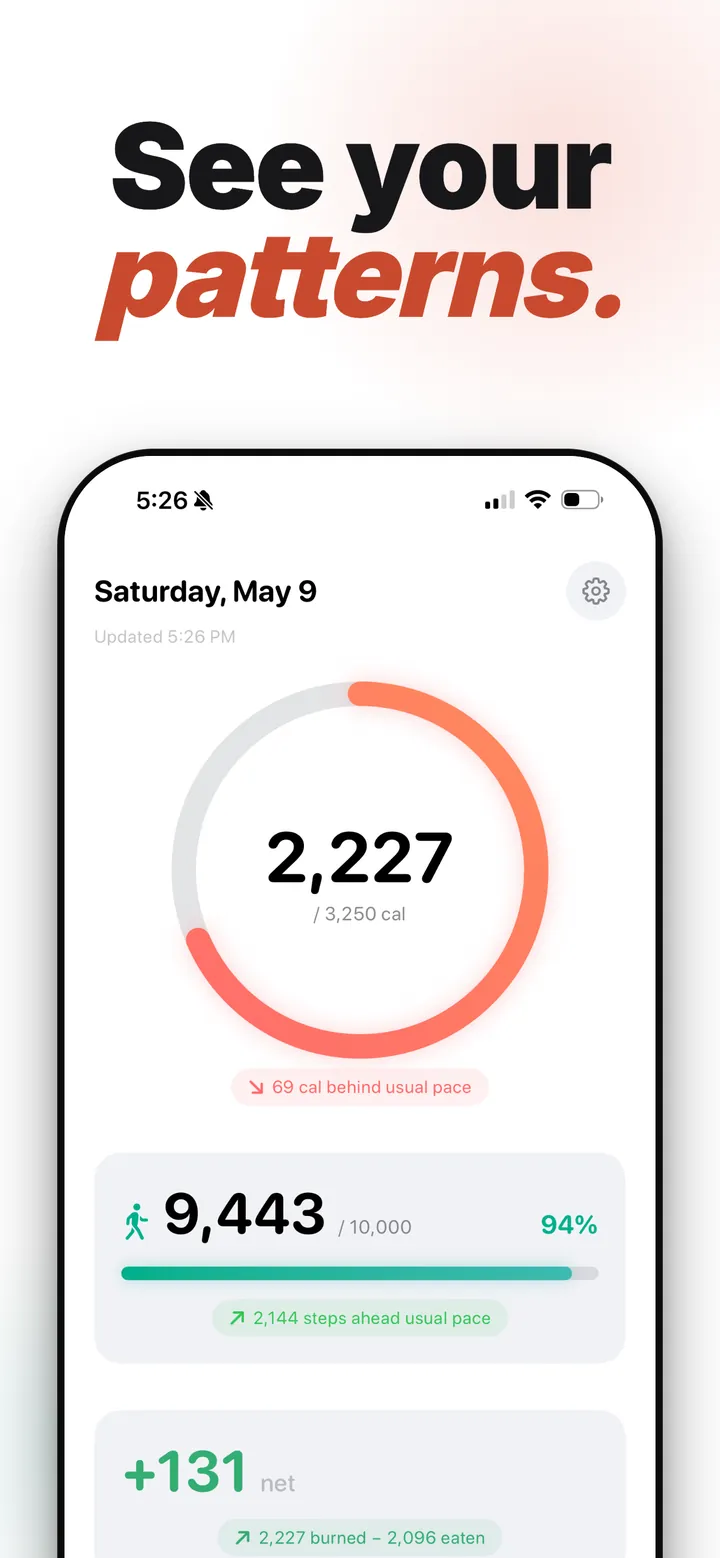
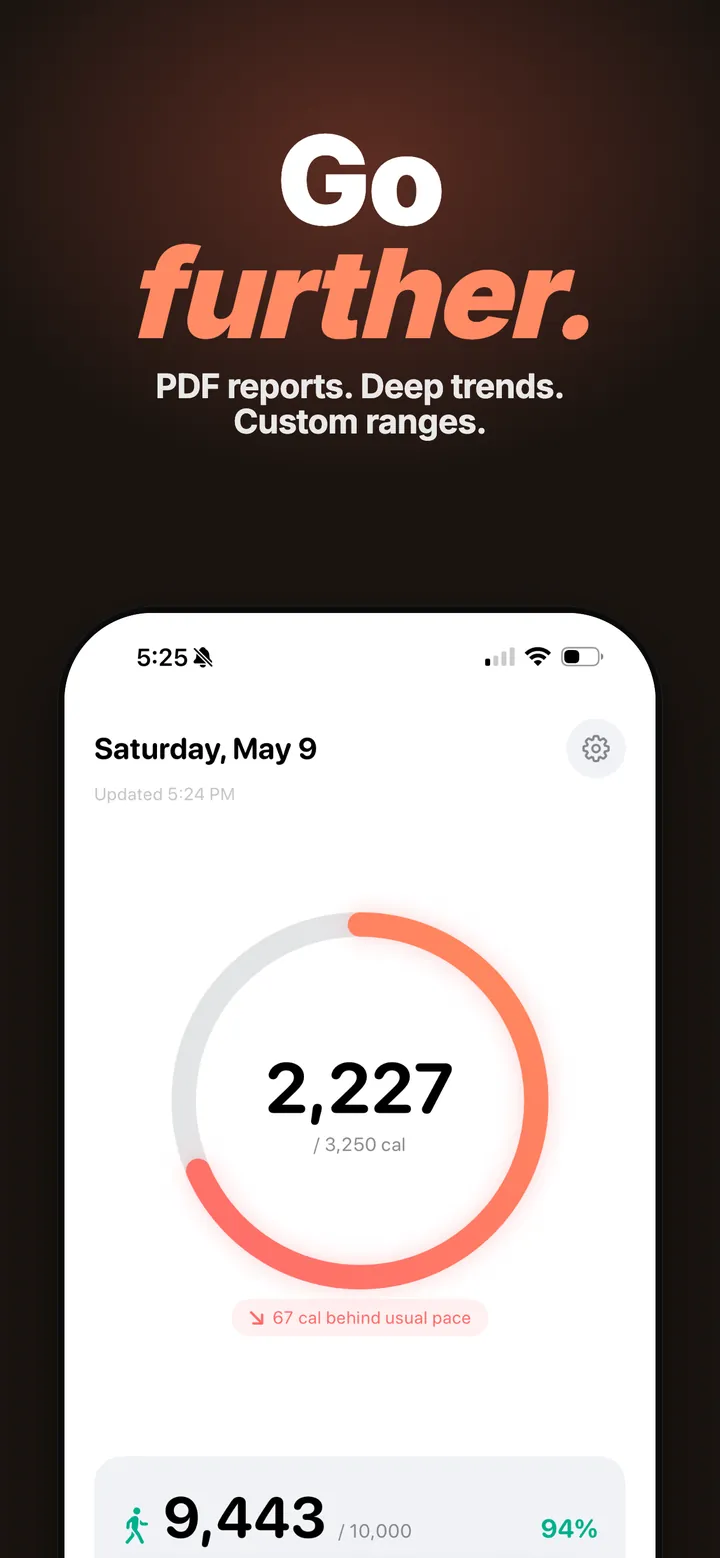
It adds your active and resting calories from Apple Health into one daily number. Free with no account. Vitals+ adds net deficit, PDF reports, and deep trends.
See your active and resting calories in one clean ring. Tap for the breakdown.
View 7 days, 30 days, 90 days, a full year, or any custom range. Export to CSV anytime.
Set daily calorie and step targets with animated rings. Or turn goals off and use it as a counter.
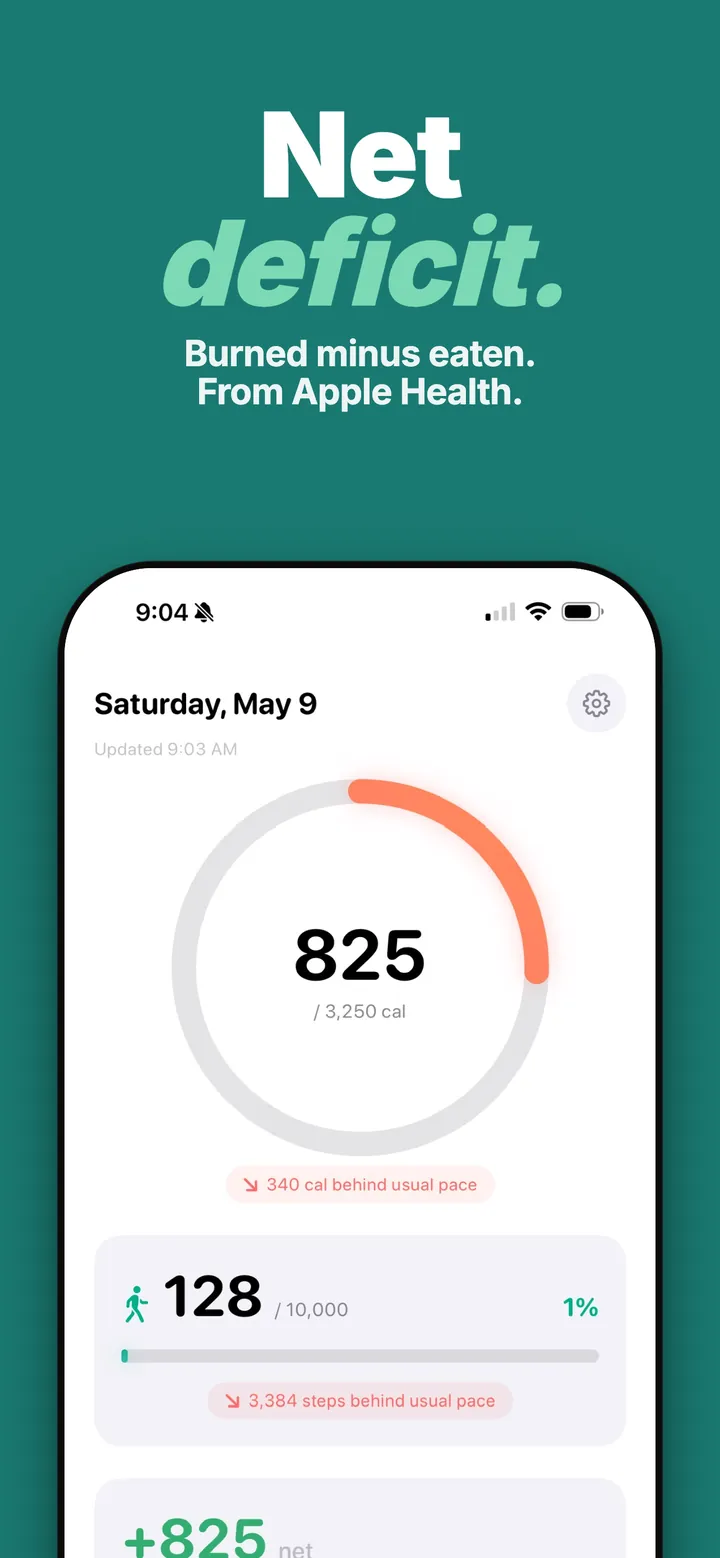
Connect a food app like MyFitnessPal to Apple Health and see your net calorie balance in real time.
Included with Vitals+
Print-ready PDF reports for any date range. Monthly auto-generate or custom snapshots to share with your doctor.
Included with Vitals+
Calories and steps on your home screen or lock screen without opening the app.
Compare this week to last, this month to the month before. See what's changing and by how much.
Included with Vitals+
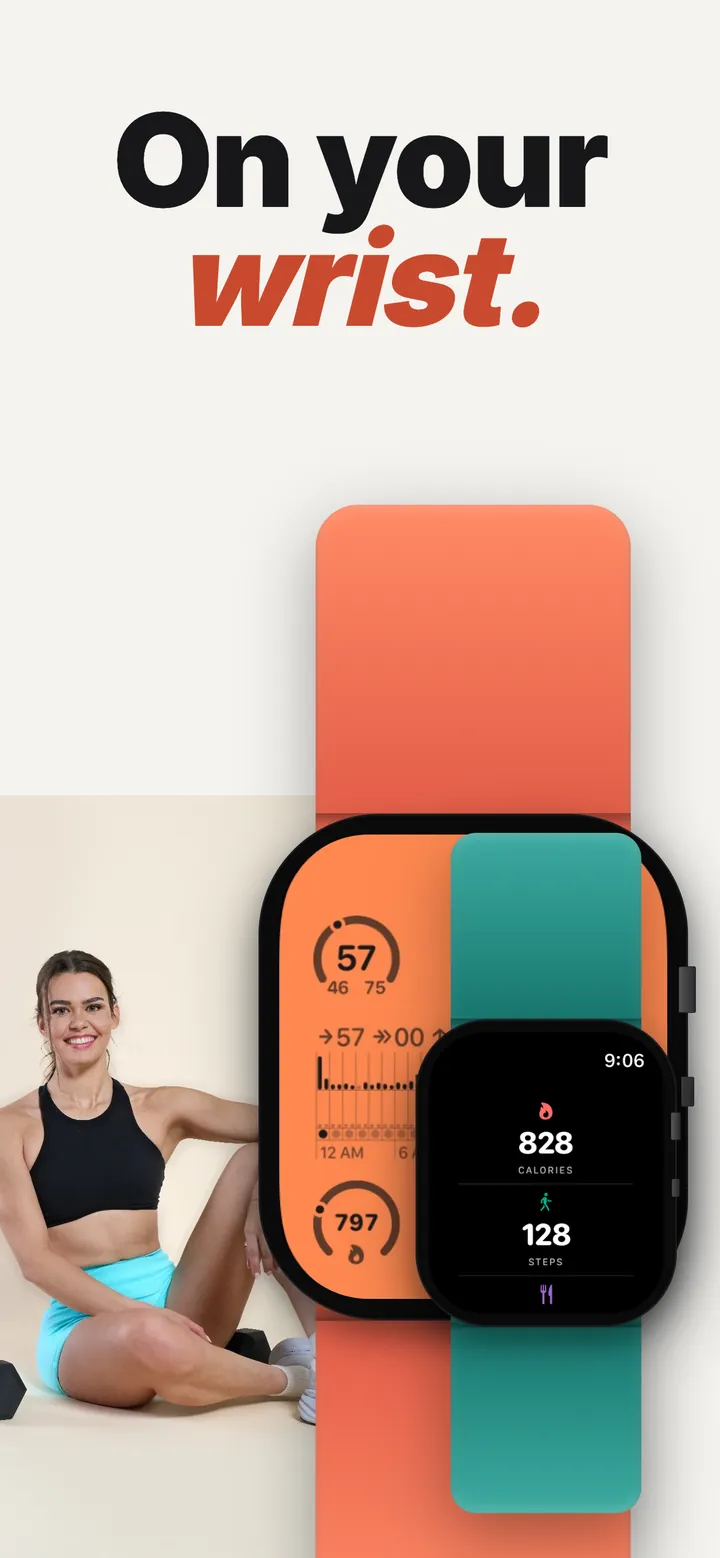
Your data on your watch face all day, in circular, rectangular, inline, and corner styles. Full watch app included.
Yes. Total Calories reads from Apple Health in read-only mode. No accounts, no ads, no tracking. Your health data stays on your device and is never uploaded. The only network calls the app makes are to Apple and to RevenueCat, our billing provider, to check your subscription status. Neither ever receives your health data.
Privacy Policy →How it's built.
Most calorie trackers make you log every meal manually and create an account. I wanted something that just shows what Apple Health already knows.
Total Calories reads your active energy and steps from HealthKit, calculates a simple total, and displays it on your wrist. No signup, no cloud, no tracking. The core app is free.
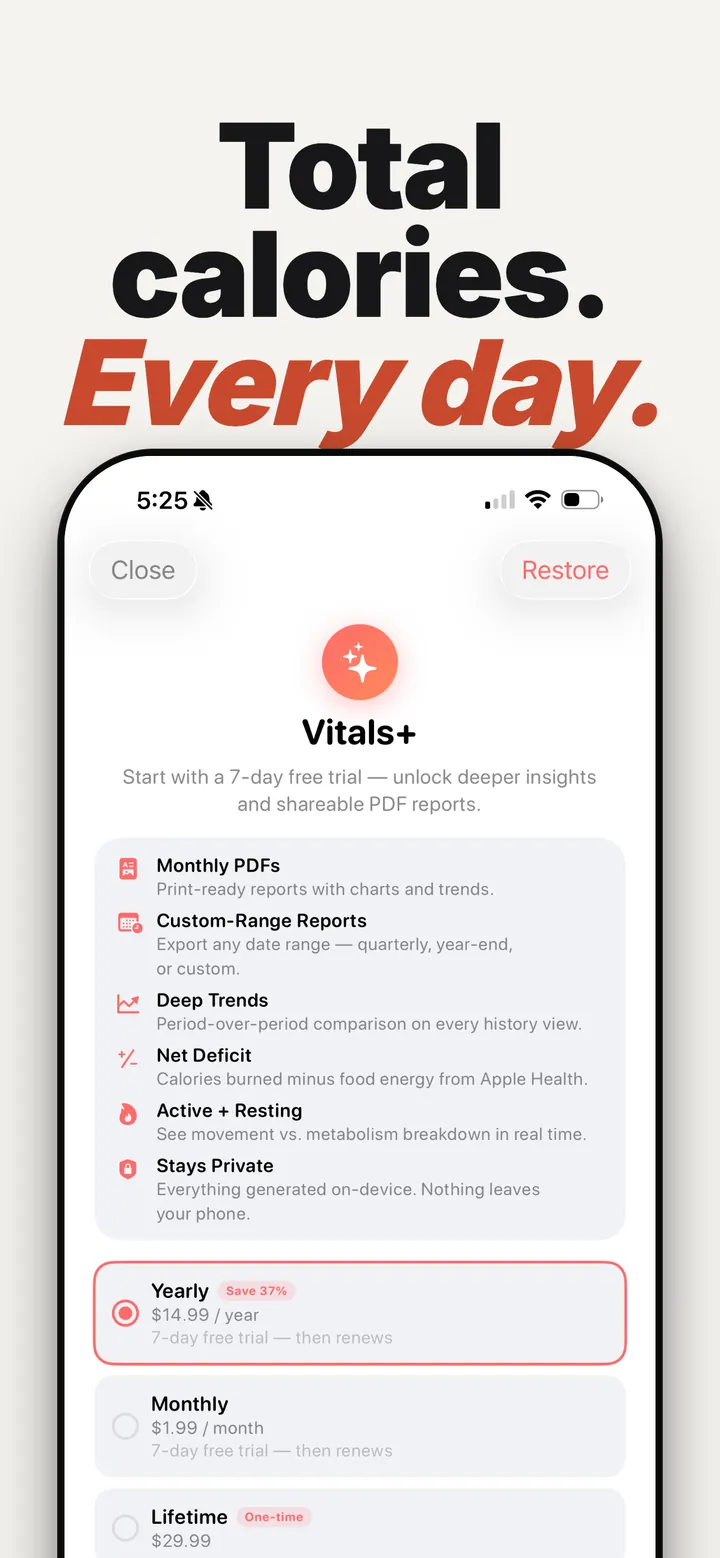
An optional upgrade for people who want to go deeper. Monthly, yearly, or a one-time lifetime purchase is available, with a 7-day free trial on subscriptions. Prices are shown in the app before you buy and vary by region.
Net Deficit. Calories burned minus food energy from Apple Health. Works with MyFitnessPal, Lose It, and any food tracker that writes to Health. Shows up on your dashboard, history charts, widgets, and Apple Watch.
PDF Reports. Print-ready monthly summaries and custom-range reports. Calorie trends, step trends, goal achievement, peak days, period-over-period changes. Generated on-device, so nothing uploads.
Deep Trends. Compare any period to the one before it. See exactly how your activity is changing week-over-week or month-over-month, in calories and steps.
Active vs. Resting Breakdown. See how much of your burn comes from movement vs. metabolism, right on the dashboard.
TDEE calculator, BMR calculator, and active vs resting calories on Apple Watch: what the numbers mean and how the Watch measures them. Also: how many calories do I burn a day, and the best app to track calories burned on Apple Watch, compared.
Yes. Total Calories adds your total calories burned (active plus resting) to your Apple Watch face as a complication in circular, rectangular, inline, and corner styles, and includes a full watch app.
Install Total Calories on your iPhone, then add its complication to any watch face that has a complication slot. Apple's Move ring counts active calories only, while this app shows active plus resting.
Active calories are what you burn through movement and exercise, and resting calories are what your body burns at rest to keep running. Total Calories reads both from Apple Health and adds them for your daily total, and Vitals+ shows the active versus resting breakdown.
Yes. Vitals+ shows TDEE and BMR reference figures, which are your 30-day maintenance and resting energy averages taken from Apple Health. The site also has free TDEE and BMR calculator guides.
No. It is a calories burned app, so it does not log meals. With Vitals+, Net Deficit subtracts food energy that another food app, such as MyFitnessPal or Lose It, already writes to Apple Health.
The core app is free to download and needs no account. Tracking, widgets, and the Apple Watch app are free, and the optional Vitals+ upgrade is priced in the app before you buy and varies by region.
Yes. It reads Apple Health in read-only mode and your health data stays on your device. There are no ads, no tracking, and no accounts.
| Platform | iOS 17+, watchOS 10+ |
| Language | Swift 6 with strict concurrency |
| Framework | SwiftUI · HealthKit · WidgetKit |
| Data | Read-only HealthKit access, local only |
| Storage | SwiftData cache shared via App Group |
| Widgets | Home Screen, Lock Screen, StandBy, watchOS complications |
Zero-config setup. Open the app, grant HealthKit permission, done. No onboarding flow, no tutorial, no account creation. The first screen shows yesterday's data immediately.
Watch-first design. The Apple Watch app is the primary interface. The iPhone app exists for detailed history and settings. Both share a SwiftData cache via App Group.
Widget reliability. Widgets refresh on a timeline, not on open. Background tasks keep the cache warm. The complication updates within 15 minutes of HealthKit changes.
Privacy. No analytics, no crash reporting, no accounts. The app doesn't know who you are.
Free on the App Store and Google Play. No account required. Upgrade to Vitals+ anytime.