Elderhub is a family medication tracker app for doses, visits, readings, tasks, notes and a daily check-in for the people you look after, with the emergency card in the same record.
iPhone · iOS 17+ · Works with no signal · Optional family sharing
Download on the App Store
Medications and doses, visits, readings, tasks, notes and an emergency card. Everything the app records, it records for someone other than you.
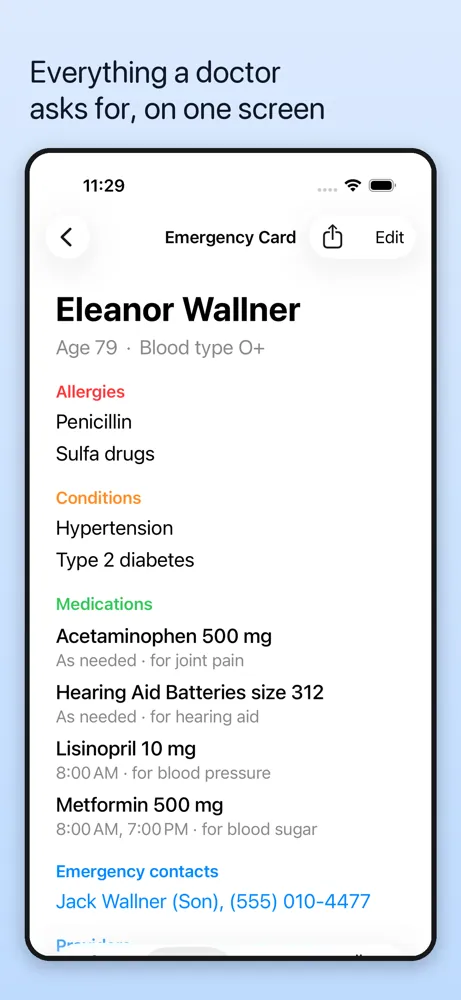
Allergies, conditions, active medications and emergency contacts in large type. Share it as plain text or read it in a waiting room. It works with no signal.
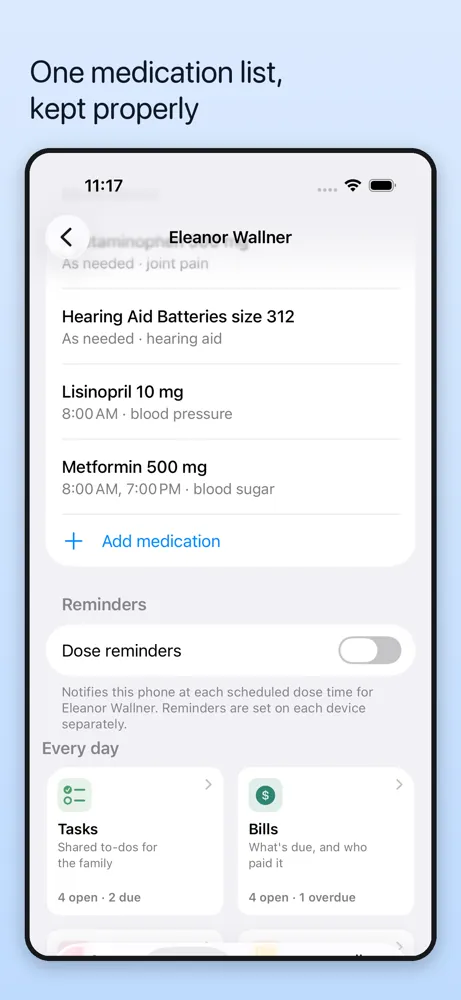
Name, strength, form, purpose, prescriber, instructions, schedule and reminders, in one list.
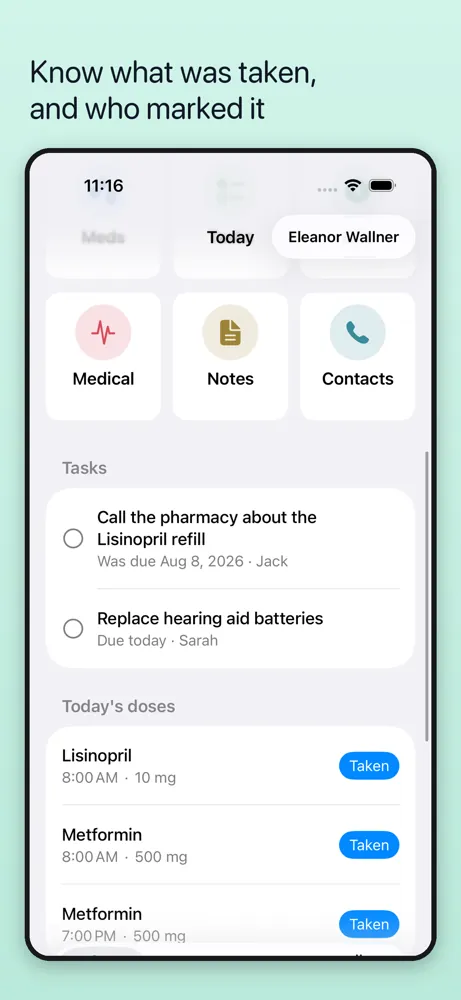
Log a dose as taken or skipped and the entry records who did it. Useful when more than one person is helping.
Log a visit while it is fresh: the provider, reason, notes and follow-up, so you do not have to reconstruct it later.
Blood pressure, weight, glucose, heart rate, temperature and oxygen, recorded over time.
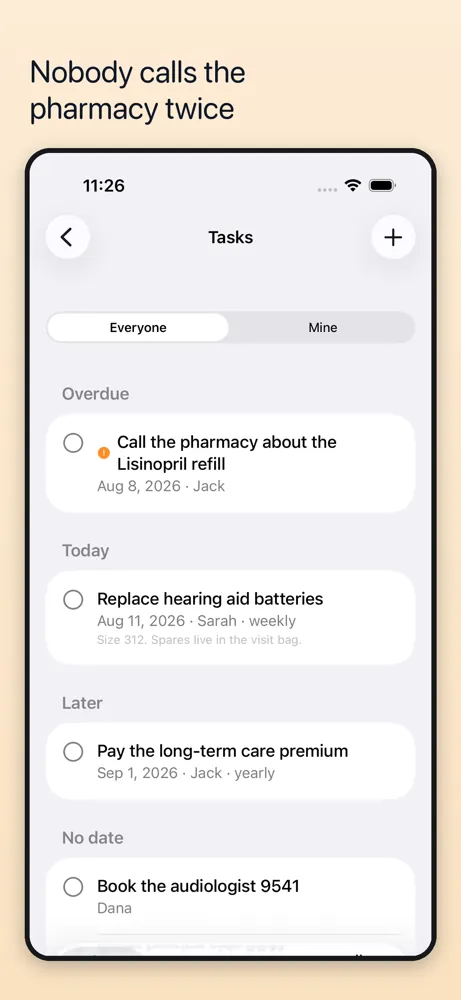
Keep the practical details around a person in the same record, not in another chat thread.
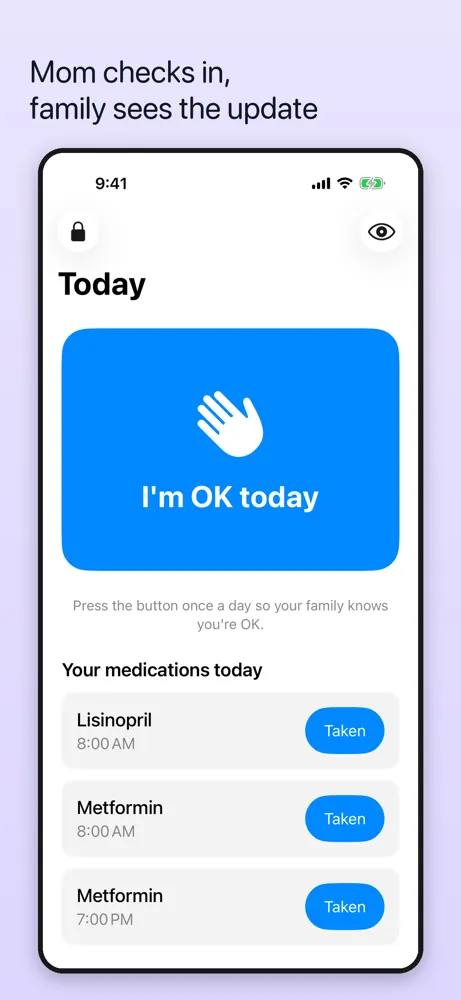
Optional. If it is not pressed by the end of the agreed window, everyone looking after them is told that no check-in happened.
Share the emergency card as plain text or export the record for an appointment. No app required at the other end.
Every feature is free for one person. Plus adds more people to the same care circle, and invited family members are always free.
Included with Elderhub Plus
Only you, until you choose to share. Elderhub starts with a full record on this iPhone, so it remains useful with no signal and no account. Sharing is opt-in: sign in with Apple, choose who joins, and set which people's records each member can see. Database rules enforce those choices. There is no advertising SDK, no behavioral analytics, and no location tracking. Nothing is sold.
Privacy Policy →How it is built and why it works that way.
Most medication apps assume you are tracking your own pills. Elderhub assumes you are not.
When a family looks after someone, medications, visits, readings, tasks, notes and contacts end up spread across a phone, a text thread and a kitchen drawer. Elderhub keeps one current care record per person, so the next person helping has the same answer.
Every feature is free for one person, including medications, doses, reminders, visits, readings, tasks, notes, contacts, check-in, emergency card and export. Plus adds more people to the same care circle.
One person pays. The purchase covers the whole care circle. Family members who join are never charged as separate seats.
Prices. Monthly, yearly, or a one-time lifetime purchase are available. Eligible new subscribers get a 1-week free trial on subscriptions. Prices are shown in the app before you buy and vary by region. Subscriptions renew automatically unless cancelled at least 24 hours before the period ends, and are managed in your Apple ID settings.
| Platform | iOS 17+ |
| Language | Swift 6 with strict concurrency |
| Framework | SwiftUI · SwiftData |
| Data | Typed in by hand; no Apple Health read, monitors, wearables or medical devices |
| Storage | Full local copy, with an optional shared copy on Supabase |
| Sharing | Sign in with Apple, email invitations and invite codes, per-row database policies |
Offline first. Every screen renders from the copy on the phone. Sync writes into that copy and never sits in front of it, because the scenario the app exists for is an emergency room with no bars.
Empty sections still print. The emergency card and the exported one-pager print every critical heading even when it is empty, as "ALLERGIES: not recorded". A section that simply vanishes reads as "no allergies" to whoever is holding the page.
Who sees what. A family can work in one care circle while access follows the people whose records are being kept. The access rules enforce those choices.
The check-in claims nothing. It reports that a button was not pressed. It cannot tell whether anyone is unwell, it does not detect falls, and it never calls for help. Nothing in the app is allowed to imply otherwise, in the app or in a notification.
Elderhub is an organizational tool. It does not diagnose, treat or cure any condition, and it does not provide medical advice. Always follow the guidance of a licensed clinician. In an emergency, call your local emergency number.
Elderhub: Family Care Log keeps one medication list per person, with name, strength, purpose, prescriber, schedule and reminders. It is built for families looking after someone else, so doses record who marked them taken or skipped.
Yes. Every feature is free for one person, including medications, doses, reminders, visits, readings, tasks, notes, contacts, check-in, the emergency card and export. The optional Elderhub Plus upgrade adds more people to the same care circle, and invited family members are always free.
Yes, sharing is opt-in. Sign in with Apple, invite family by email or invite code, and choose which people's records each member can see.
Yes. Elderhub's emergency card lists allergies, conditions, active medications and emergency contacts in large type. You can read it in a waiting room or share it as plain text, and it works with no signal.
Elderhub has an optional daily check-in: one large button. If it is not pressed by the end of the agreed window, everyone looking after that person is told that no check-in happened. It does not detect falls, cannot tell whether anyone is unwell and never calls for help.
Yes. It starts with a full record on your iPhone, so it works with no signal and no account. There is no advertising SDK, no behavioral analytics and no location tracking, and nothing is sold.
No. It is an organizational tool and does not diagnose, treat or provide medical advice. Follow your clinician's guidance, and in an emergency call your local emergency number.
Free for the first person you look after. No account needed to start.
Download on the App Store